From the trip wizard to pilgrim claim QR: departures, groups, participant lists, and document attachments stay organized in one place — ready to continue into live field monitoring.
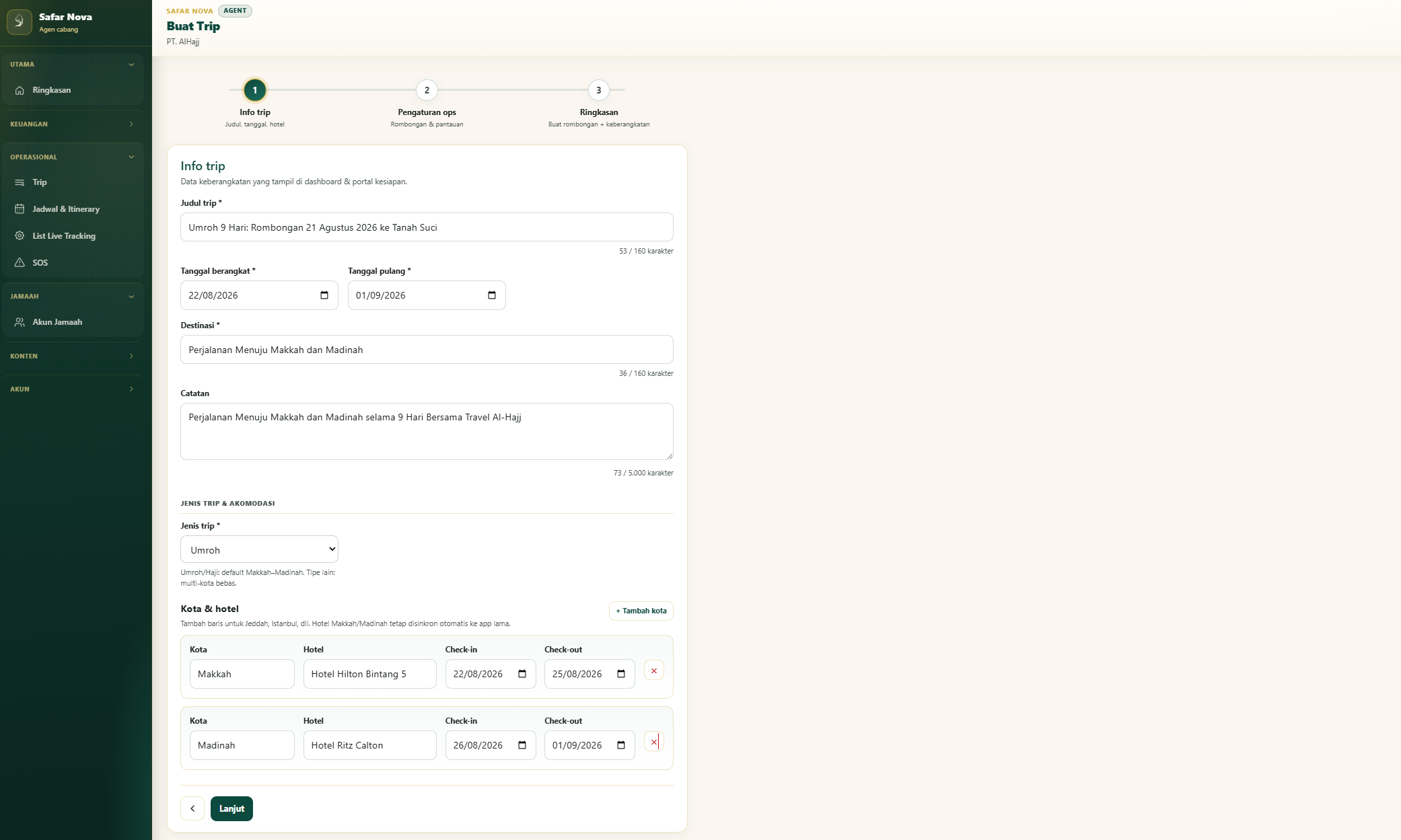
Enter the trip title, departure and return dates, destination, and hotels in Makkah and Madinah. This is what agents see on the dashboard and pilgrims see in the readiness portal.
2
Step 2
Add the group & capacity settings
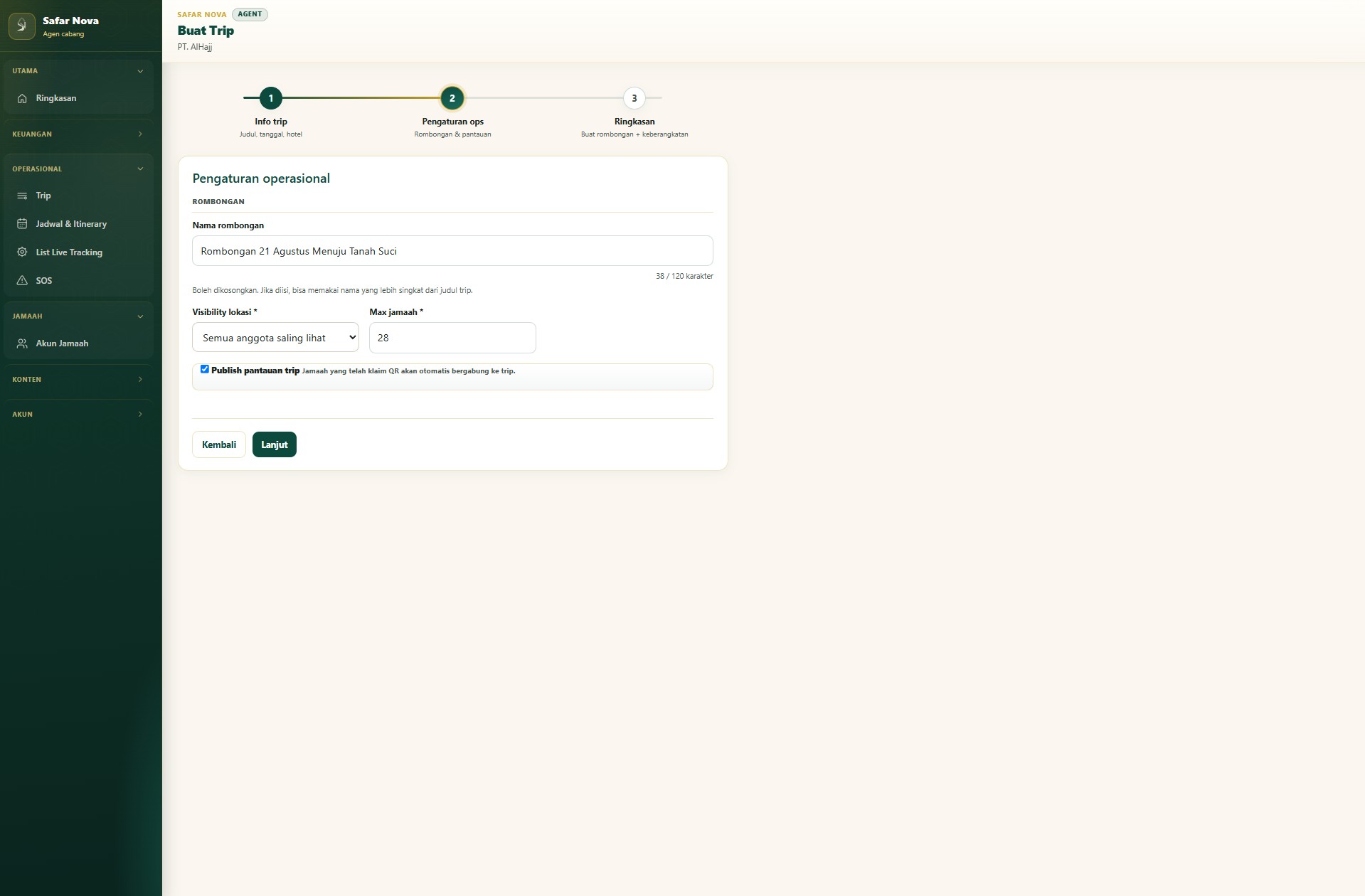
In operational settings, set the group name, location visibility between members, max pilgrim capacity, and whether to publish monitoring. The group is ready to link to the new departure.
3
Step 3
Preview the summary before creating
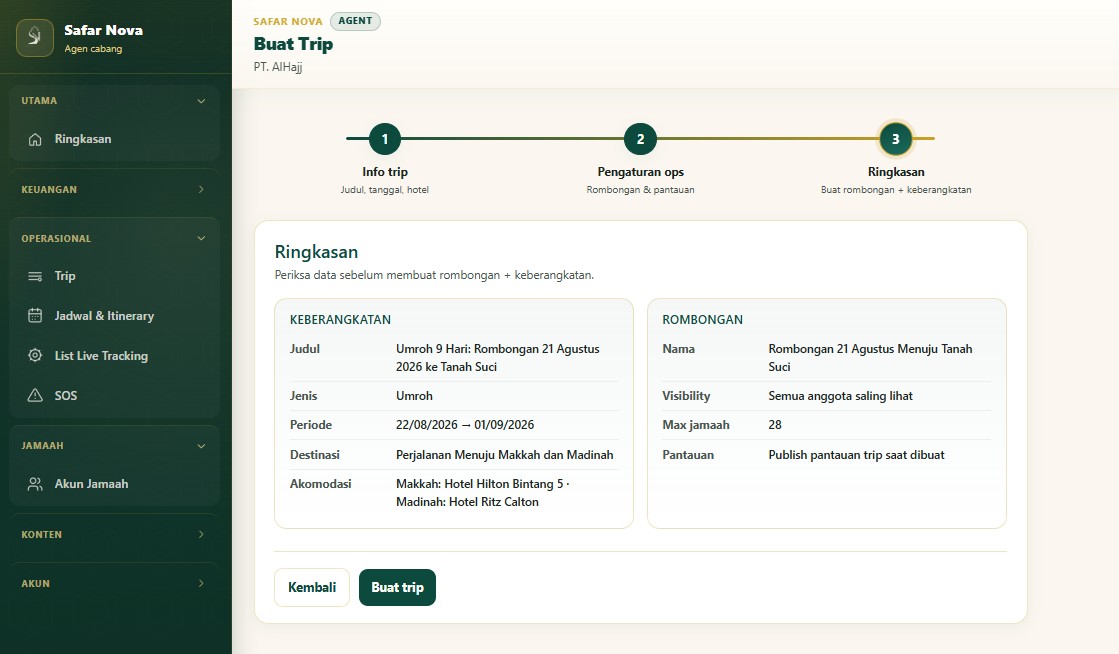
Review departure and group details on one screen: dates, lodging, capacity, and monitoring status. When it looks right, create the trip — no spreadsheet back-and-forth.
4
Step 4
Add pilgrims to the trip
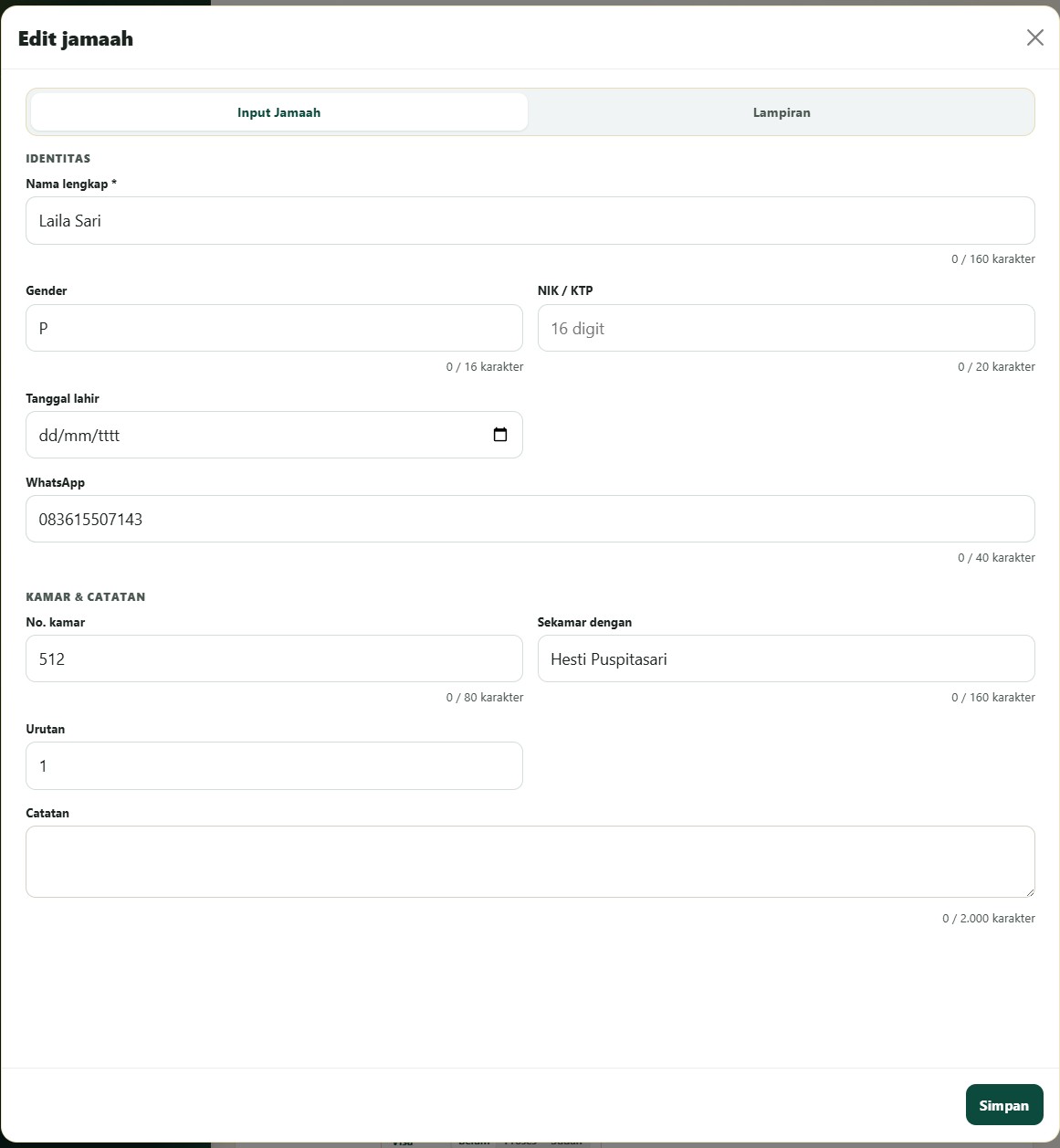
Open Add pilgrim: fill identity (name, gender, ID number, date of birth, WhatsApp) plus room, roommate, and notes. Each entry joins the trip list immediately.
5
Step 5
Attach pilgrim documents
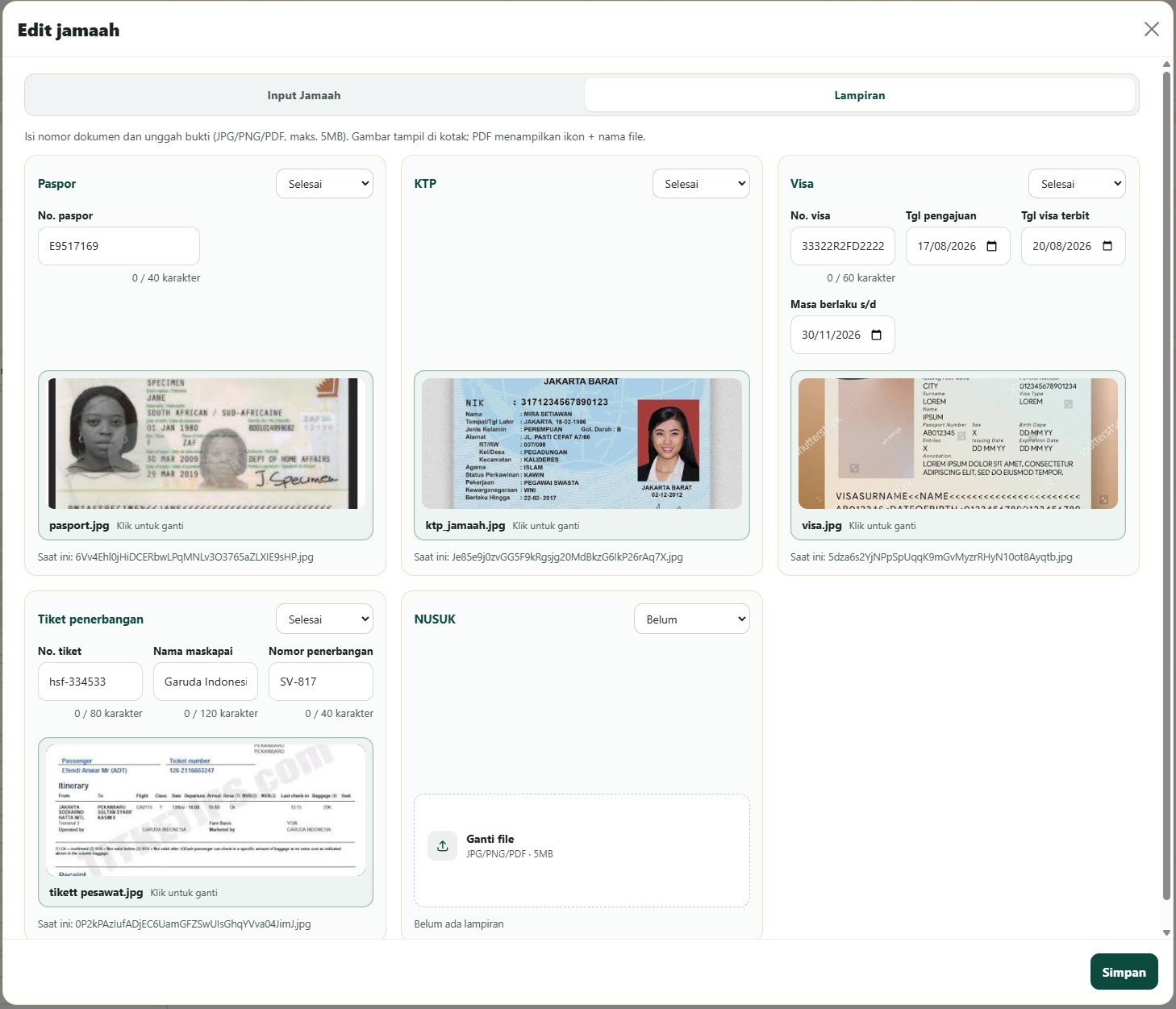
On the Attachments tab, upload and manage passport, ID card, visa, flight ticket, and NUSUK. Each document status stays visible — ready for the readiness portal and field checks.
6
Step 6
Share the claim QR with each pilgrim
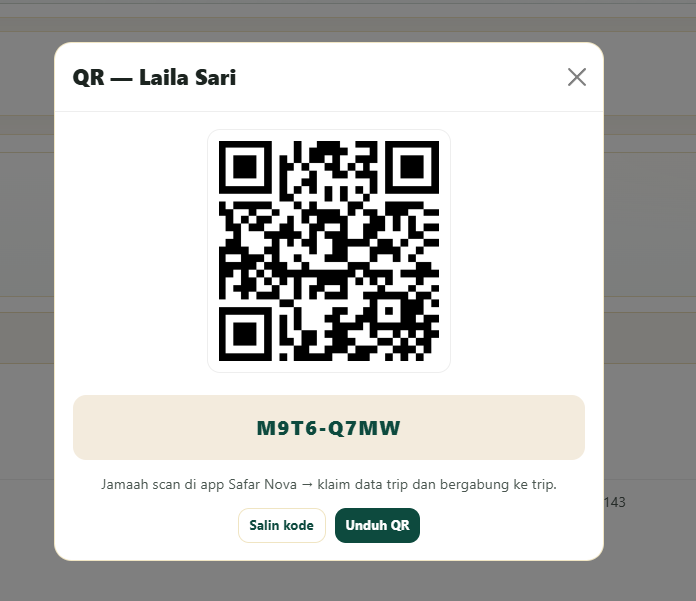
Every pilgrim gets a unique QR and code. Scan in the Safar Nova app to claim trip data and join the group — or copy the code / download the QR for staff to share.
What you get
One source of trip truth
Departure, group, hotels, and capacity live in the wizard — not scattered across Excel and chat.
Pilgrims & documents tracked
Identity, rooming, and passport–visa–ticket attachments keep clear status for the readiness portal and field checks.
Per-person claim QR
Each pilgrim gets a unique QR/code. Scan in the app to claim trip data and join the group.
Ready for live tracking
Once the trip and pilgrims are set, publishing monitoring is one step away on the same foundation.
Summary
Safar Nova trip management helps Umrah agencies prepare departures, groups, pilgrim lists, document attachments, and claim QR codes from the agent dashboard — the operational foundation before live monitoring in the holy cities.
Questions about this feature
Is trip management the same as live tracking?
No. Trip management prepares departure and pilgrim data. Live tracking is used after monitoring is published in the field.
Do pilgrims need dashboard login?
No. Pilgrims use the app or readiness portal. The dashboard is for agents and travel staff.
Which plans include trip management?
Core trip setup is available from Lite. Live monitoring follows the active plan or add-on.