Agencies build the schedule in the dashboard, add day-by-day agenda, then publish. Pilgrims open the itinerary in the app — they know the plan without constant questions.
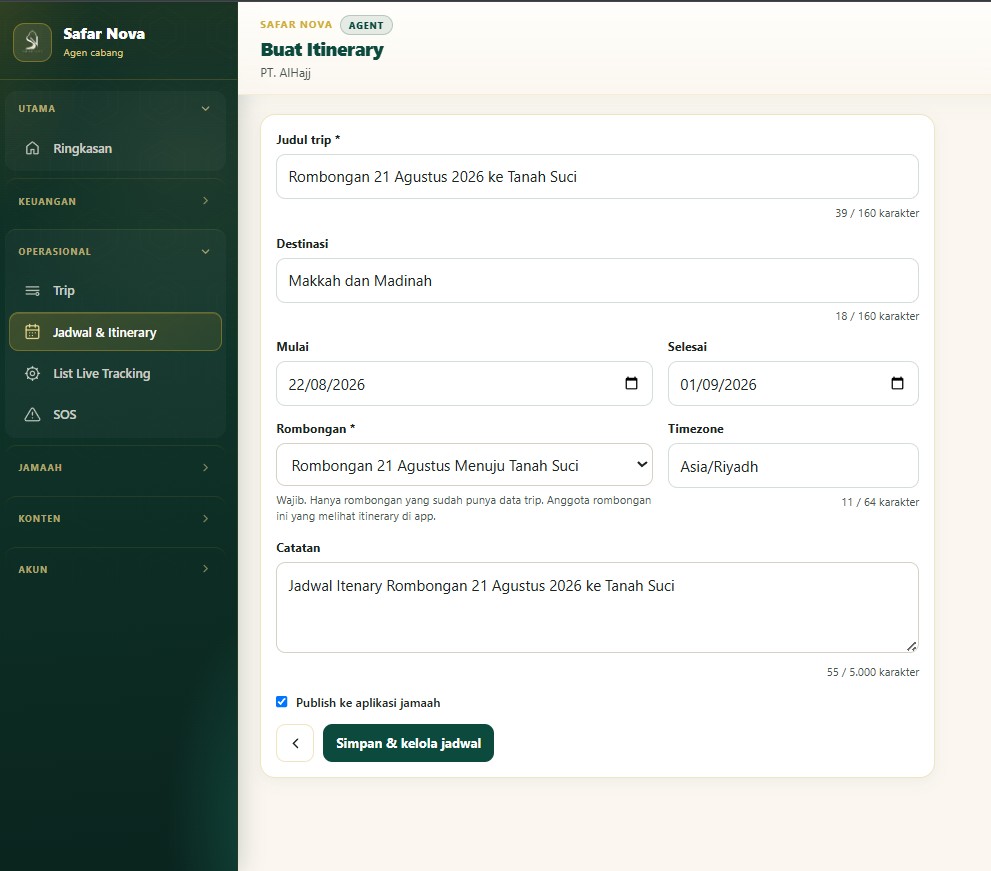
Set the title, destination, start and end dates, and choose a group that already has a trip. Check publish if it should appear in the pilgrim app right away.
2
Step 2
Add agenda by date
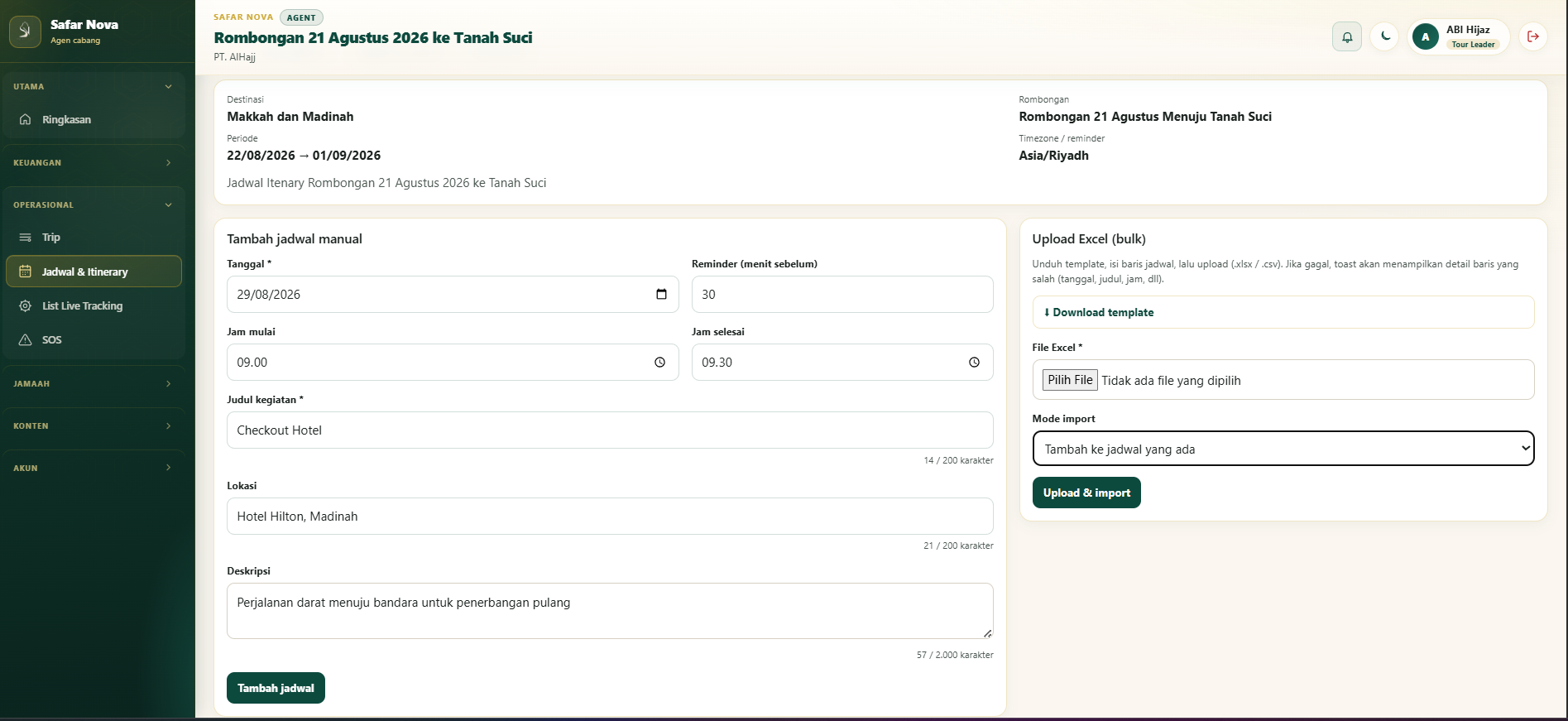
Add activities manually: date, time, title, location, and notes. Or download the template and upload Excel to fill many schedule items at once.
3
Step 3
Review it on the calendar
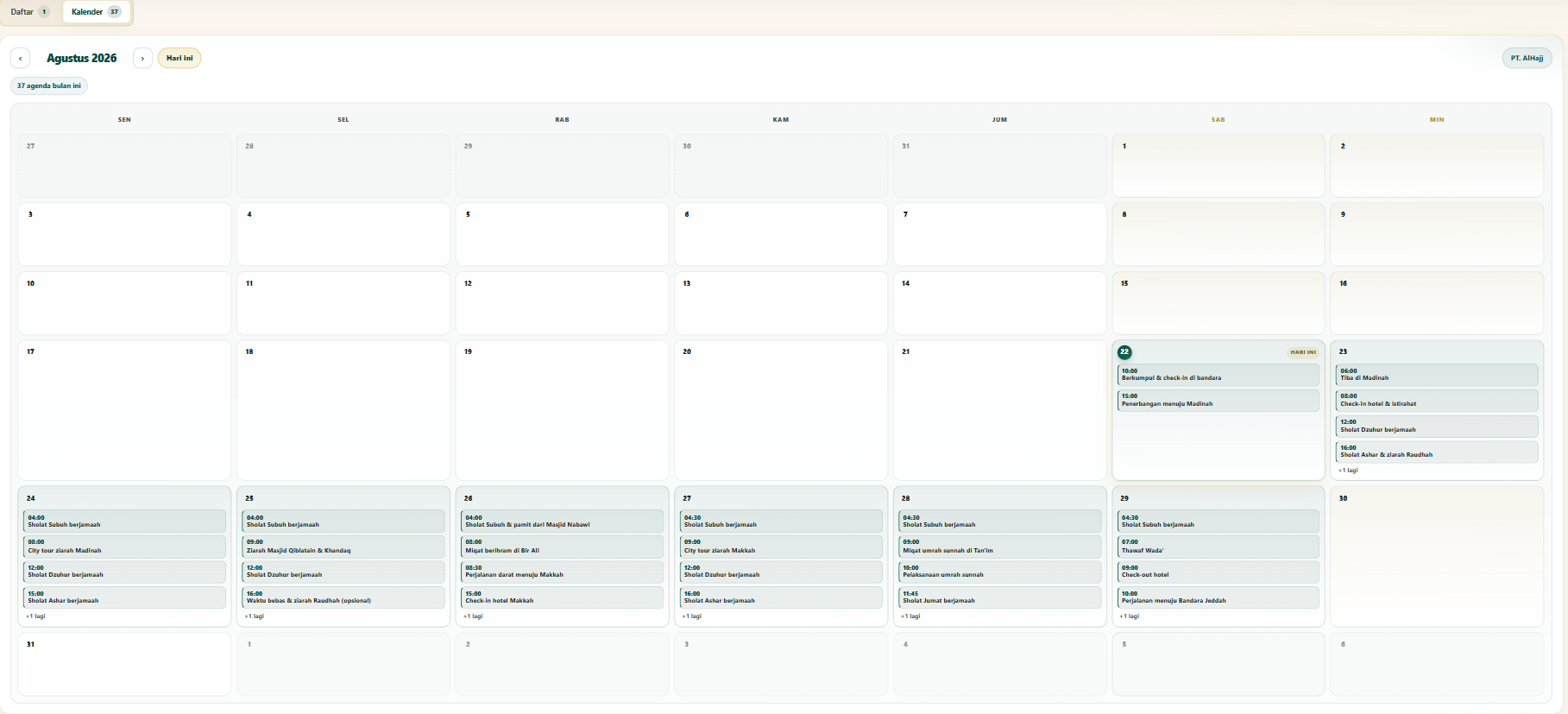
See the full month of agenda in calendar view. Spot busy days, timing conflicts, and the overall flow before departure.
What you get
One official schedule
Not a PDF or chat that gets lost — the itinerary lives in the dashboard and is ready to publish.
Clear day-by-day agenda
Add items manually or via Excel bulk upload. Each activity has time, place, and notes.
Calendar for a quick overview
See how packed each day is and the order of activities in one monthly view.
Pilgrim self-service in the app
After publish, pilgrims open the agenda themselves — staff stay focused on the field.
Summary
Safar Nova itinerary helps Umrah agencies build trip schedules in the dashboard, add day-by-day agenda, review them on a calendar, and publish to the pilgrim app.
Questions about this feature
Why can’t pilgrims see the itinerary yet?
Make sure it is published and the pilgrim is linked to the correct departure/group.
Can it change after publish?
Yes. Update it from the dashboard; pilgrims see the latest version.
Do we need live tracking?
Itinerary is trip info in the pilgrim app. Live tracking is a separate operational capacity.